 UseAgent
GLM 5.4 and Kimi K3.1 Pro on us
Start without a key. Add yours, or your ChatGPT plan, when you want more.
Tell it what to build. Codex, Claude Code or OpenCode works on its own cloud computer and comes back with the code, the PR or the site.
Start on GLM 5.4, on us. Open source: star it on GitHub.
New thread
Work with the tools your team uses.
See integrationsThe product in action
In 63 seconds, see an agent research in its browser, return a sourced brief and help prepare a support handoff.
0:04 · Computer use. Give an agent a research task, follow its work in a live browser and see the sourced brief returned to the thread.
0:22 · Bots. Create a support bot, write its standing rules, attach cases and review its handoff. The recording also shows configuring a recurring routine.
0:42 · Workspace. Navigate threads, projects and the library. At 0:49, explore skills, playbooks, knowledge, memory and workspace themes.
New in UseAgent
Start without a key. Add yours, or your ChatGPT plan, when you want more.
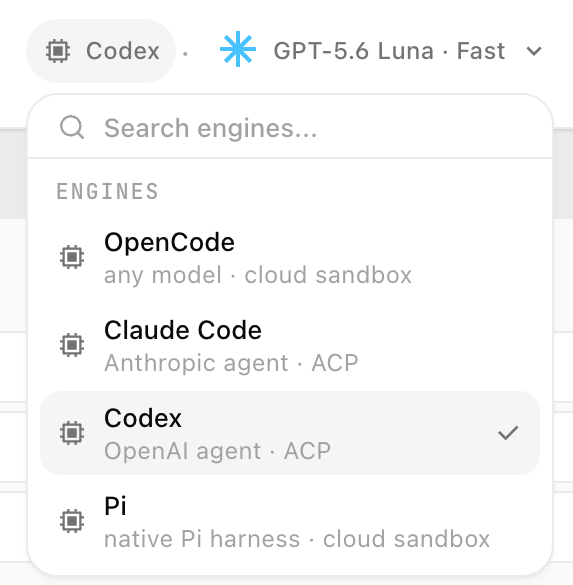
Codex, Claude Code or OpenCode, each on its own cloud computer.
A bot keeps its own thread, computer and routines, and asks when it needs you.
Slack, GitHub, Gmail, Notion, Linear and HubSpot, with your OK before anything is sent.
Schedules, team memory, your apps and any model, traced at every step.
Review and control
Use approval controls for sensitive actions and inspect the steps and files behind a result.
Explore the controlsReply draft
“Thanks for flagging this. Here’s a summary of what we found and the next steps…”
Knowledge and routines
Add company docs and instructions your coworkers can reuse. Your team reviews proposed knowledge before it’s shared.
Give recurring work a schedule. Each bot keeps its own thread and standing instructions, ready for the next report.
Explore bots and routinesPrepare a weekly update with progress, blockers and next steps.
Claude Code, Codex or OpenCode. Your choice of agent, in one workspace.
Add company documents and instructions that your AI coworkers can use across tasks. Your team reviews proposed knowledge before publishing it. Bots keep their own threads and standing rules, so recurring work has a place to continue.
Explore company knowledgeStart with a task that has a clear result: a weekly report, an account brief, inbox triage or a research summary. Give your agent the relevant context and connected tools, then review what it produces.
Browse example workflowsYou describe the task in plain language. Your workspace still needs to be set up with an AI provider and the tools you want to connect. Self-hosting is a technical setup; the documentation walks your team through it.
See the setup guideWatch the 63-second demo without signing up. It shows browser research, a sourced brief, a support bot and the shared workspace. The separate task walkthrough shows an app being built and the files it returns.
Watch the demoUseAgent supports self-hosting and bringing your own AI provider keys. Connected tools use the access you grant, and approval controls let your team review sensitive actions. Your deployment and provider choices determine where data is processed.
Read about securityThe open-source software is free to self-host. Your AI provider and infrastructure costs are separate. Check the pricing page for the current hosted offering and early-access details.
View pricingEarly access
Join the early-access list for UseAgent. Bring a report, a research question or a recurring task you want to hand off.